
Animation reviewing and shot production tracking tool
By indies, for indies.
No subscription. Your storage. Your data.
Free 30-day trial — nothing to enter. Then €59 until 31 December.
Ghost frame tool
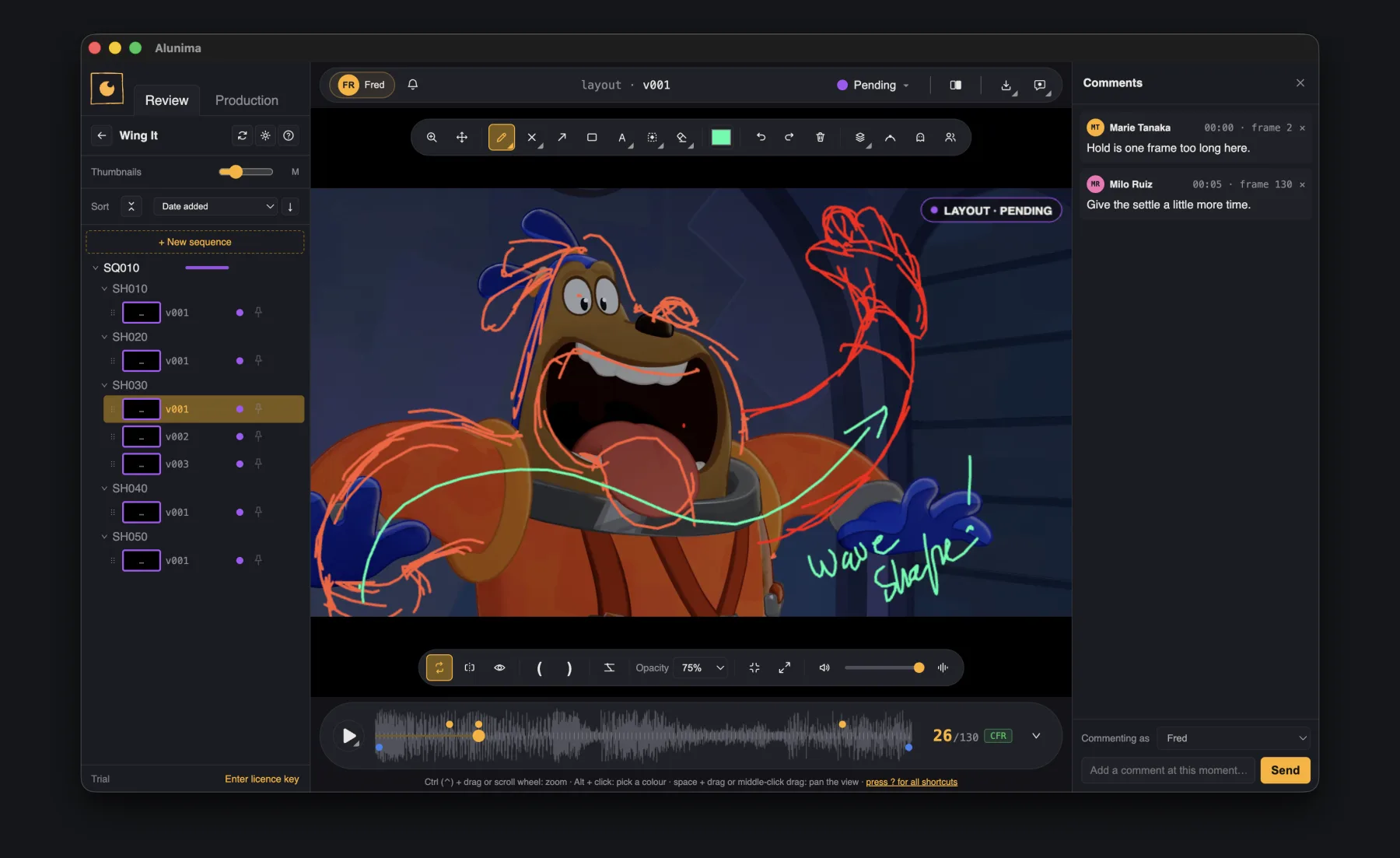
Pin a frame as a ghost and keep it in view while the shot plays on — check a pose against its key.
Animation by Louca Multier Ronzon · Rig by Ramon Arango
Our values
Built the way indies actually work
Not enterprise habits scaled down — decisions made for one person, or a crew of five or more, from day one.
Simple on purpose
No pipeline to fight, no admin console, nothing to train a team on. Open it, point it at a shared folder, set up your departments — and you're reviewing within minutes.
Built for more than one person
As a team, every reviewer draws on their own layer, sees the same shot list, and reads everyone else's comments — without anyone stepping on anyone else's work.
No subscription, no commitment
Buy it once. No monthly fee, no feature locked behind a higher tier, no risk of losing your tools the day you stop paying.
Your computer, your server, your NAS, your cloud
Alunima doesn't run any server of its own. Point it at a folder — your machine, your studio's server or NAS, or whatever cloud drive you already trust — and that's where your project lives. No account, nothing uploaded, nothing for anyone to breach.
Review
Built to review shots, videos, and images
For animation, VFX, previz, game cinematics — anything that lives shot by shot. The basics (pencil, eraser, shapes) work the way you'd expect; here's what sets it apart.
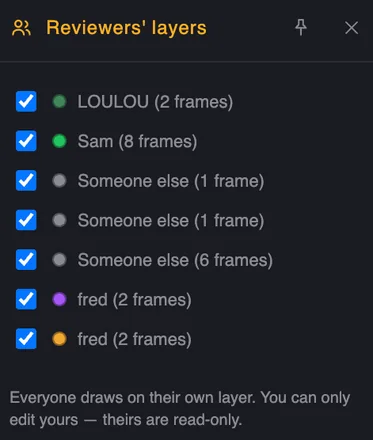
Everyone draws on their own layer
Each reviewer's marks live on their own layer. You can only edit yours — everyone else's stays read-only.
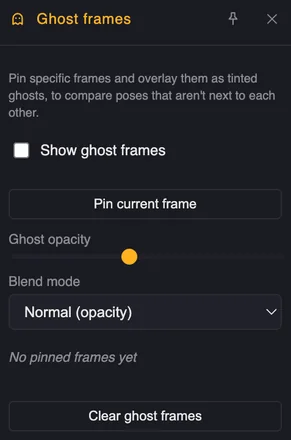
Compare poses that aren't next to each other
Pin any frame and overlay it as a tinted ghost on the current one — check an arc or a held pose without scrubbing back and forth.
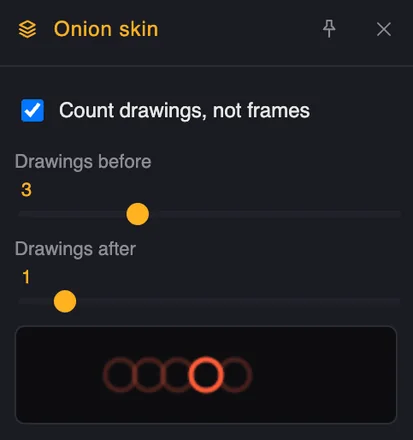
Onion skin, by frame or by drawing
Count frames when you need to, or switch to counting actual drawings so a held pose doesn't flood the skin with duplicates — the way an animator thinks about spacing.
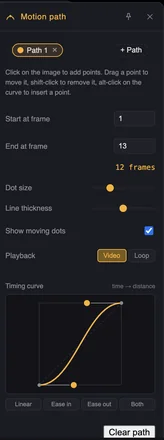
See the arc, not just the pose
Draw a motion path over a shot, with its own easing curve — check timing and spacing without exporting to another tool.
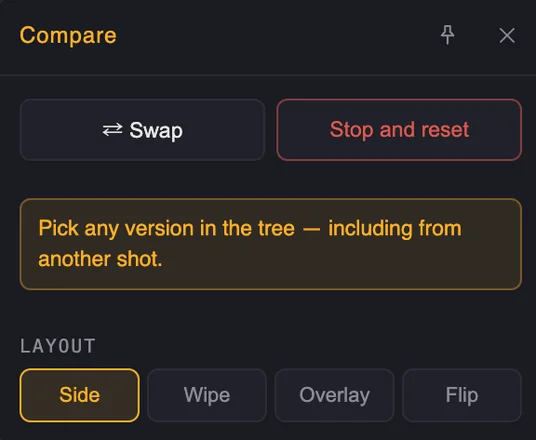
Compare any two versions
Pick any version in the tree — including from another shot, so you can check a match cut between two shots — and compare it side by side, wiped, overlaid, or flipped.
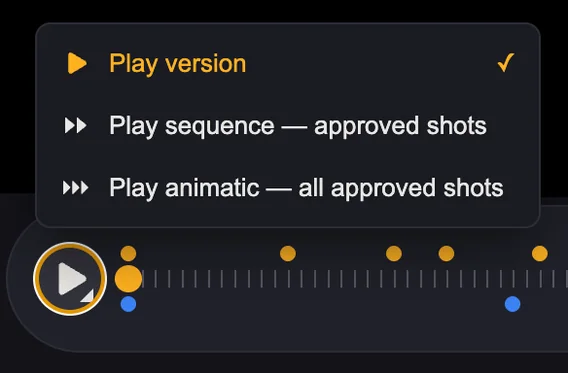
Play a version, a sequence, or the whole cut
Play one version, a sequence of approved shots, or every approved shot in order — without exporting anything first.
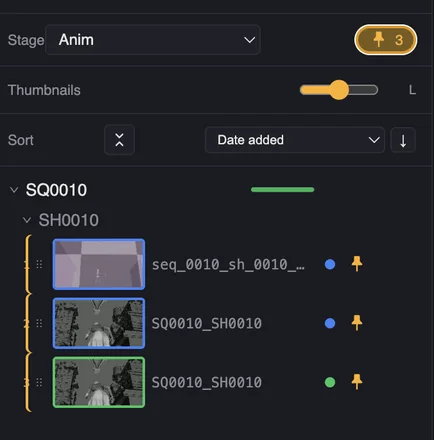
Build a review list by pinning
Filter by stage or department, pin the shots that matter for this pass — the pin count stays visible in the header — and everyone reviews from the same short list.
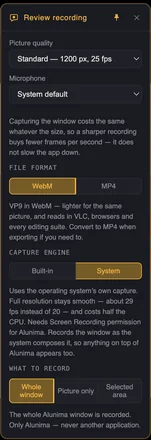
Alone, or away from your desk?
Record your review session as video — it lands straight in the comments once you sync your session. Or export it.
There's more under the hood
Not everything fits on one page — the rest shows up when Alunima does.
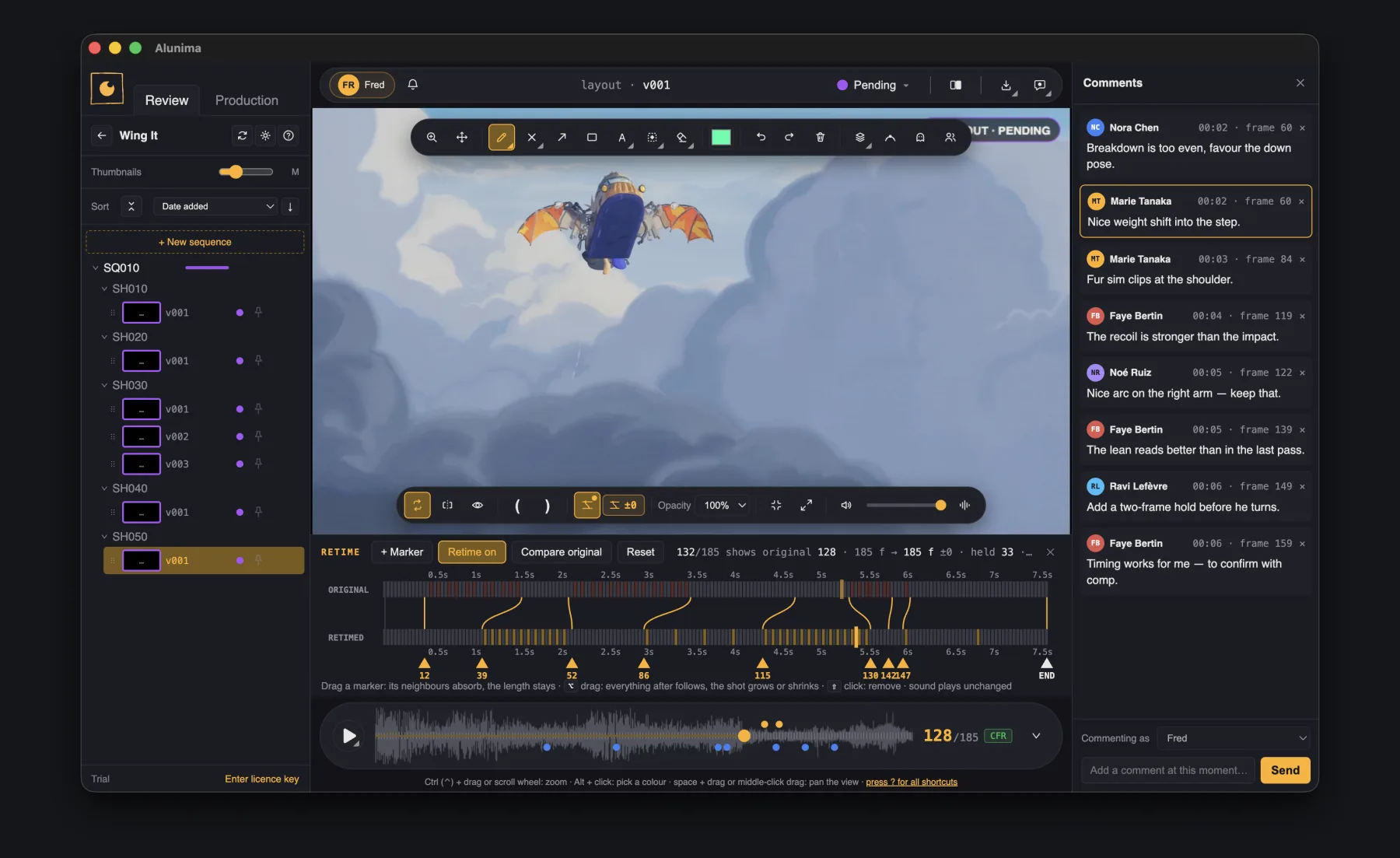
Try another timing before anyone re-renders
Drag a marker and the shot retimes on the spot — hold a pose two frames longer, tighten a settle. The original stays underneath, side by side, and the file on disk is never touched. What you send back is a timing your animator can read, instead of a sentence about it.
One project, every department
Multi-department, one working folder
Multi-department, simply configurable to your production's needs — 2D, 3D, or anything else — inside the same working folder. Each department keeps its own tree, and can be reviewed and tracked on its own.
One tool, one place — everything a click away.
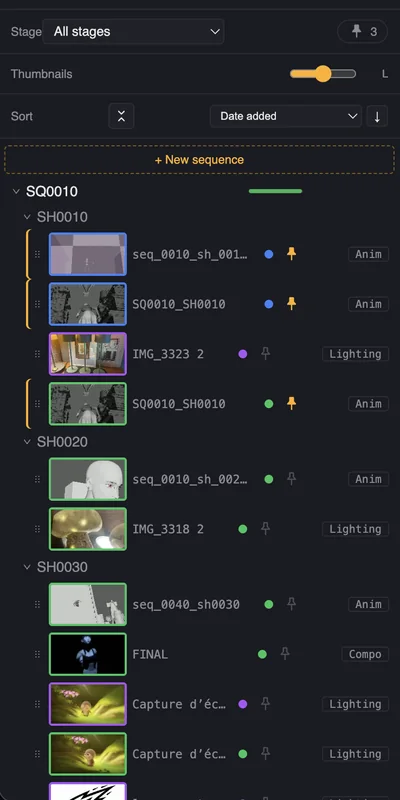
↑ All departments
Every department works in parallel. Layout, Anim, Lighting, FX, Compo each move at their own pace, tracked separately — nobody blocked waiting on the stage before theirs. And Alunima isn't built for animators only: whoever's reviewing or getting reviewed — a lighter, a compositor, an FX artist, anyone on the shot — gets the same tools and a dedicated space on the same shot list.
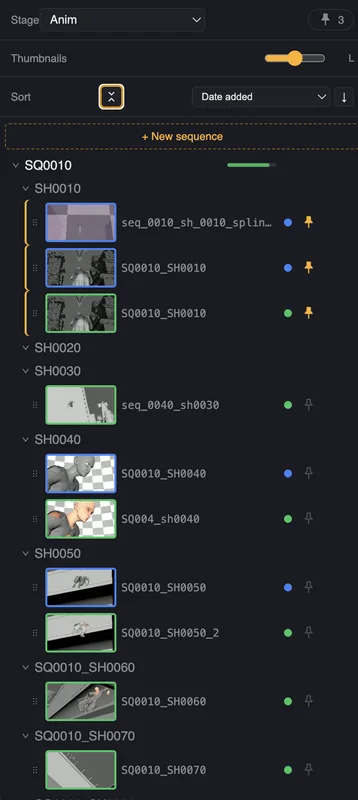
↑ Filtered
Also tracks production
Honest tracking, plainly shown
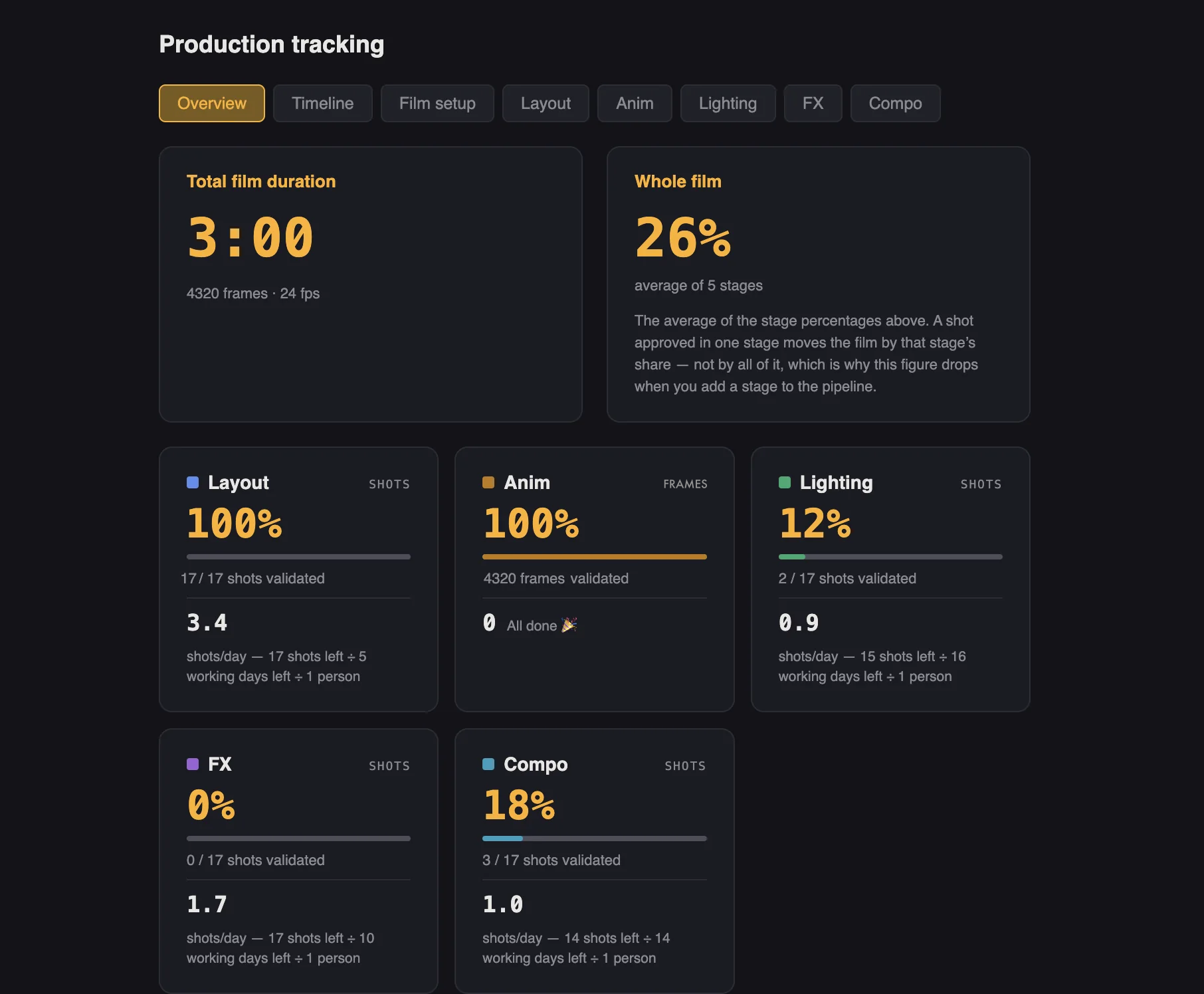
It observes — you decide. No dependency chains, no bar that moves another, no red alert — overlaps are shown, not corrected, because a tool that resolves them forces you to lie to it. The number you see (shots per day, days left) is the honest one; a linear percentage would lie about how animation actually gets made. Layout, Anim, Lighting, FX, Compo — or whatever stages your pipeline actually has, edited anytime.
Timeline
Filled = done, faded = left to do. The vertical line is today — comparing it to the fill is enough to see what is dragging, without alert colours. Overruns are shown as they are; Alunima never moves a bar to tidy them up.
Behind it

Frédéric Multier
Animator and illustrator for about twenty years, then an animation teacher/supervisor at ESMA school for the past ten — Alunima grew out of that experience, in studios and schools, not a market study.
Runs everywhere you do
One app, one price
Windows or macOS, Intel or Apple Silicon — same app, same license.
On Windows, Alunima is on the Microsoft Store — one click, signed by Microsoft, kept up to date by Windows. The macOS build is signed with an Apple Developer ID and notarised by Apple — it opens straight away, with no security warning to click through.
Pricing
One price, paid once
per seat · VAT included · one-time payment
Launch price until 31 December 2026 — code LAUNCH59
Buy Alunima — €59 Or try it free for 30 daysBought once, not rented.
- Every 1.x update included, for as long as the 1 series lives.
- Works offline. Activated once, then checked quietly, at most once a day — and a silence is never a refusal. No network, no account, no expiry: it keeps working.
- One licence, one person, two machines — never both at once. Four activations for those two machines, so reinstalling or changing computer never needs a request.
- Alunima 2 will be a paid upgrade, at a reduced price for you. Version 1 keeps running, with no time limit.
Working as a team?
The Studio Pack — same perpetual licence, one seat per person.
The launch code applies to single seats only.
Questions about the trial, your data or your team? Read the FAQ.
Contact
Talk to me directly
Alunima is made by one person. Schools and education licences, a studio with particular needs, an invoice question, or anything the FAQ does not answer — write, and you get a real answer.
Thanks — I'll get back to you shortly.
Or write straight to contact@alunima.app — nothing here goes anywhere else.